
In this post, I will talk about the videography page. For the banner, I put a video reel there in order to showcase my work. You can have a glance at below at the final version as the layout of the banner is the same from the first version to the final version.
First Version
In the video showcase section, I have put my best video on the page with the title only. Besides, I also arrange the embedded video using the col-md-4 grid so that it will be placed nicely three in a row.
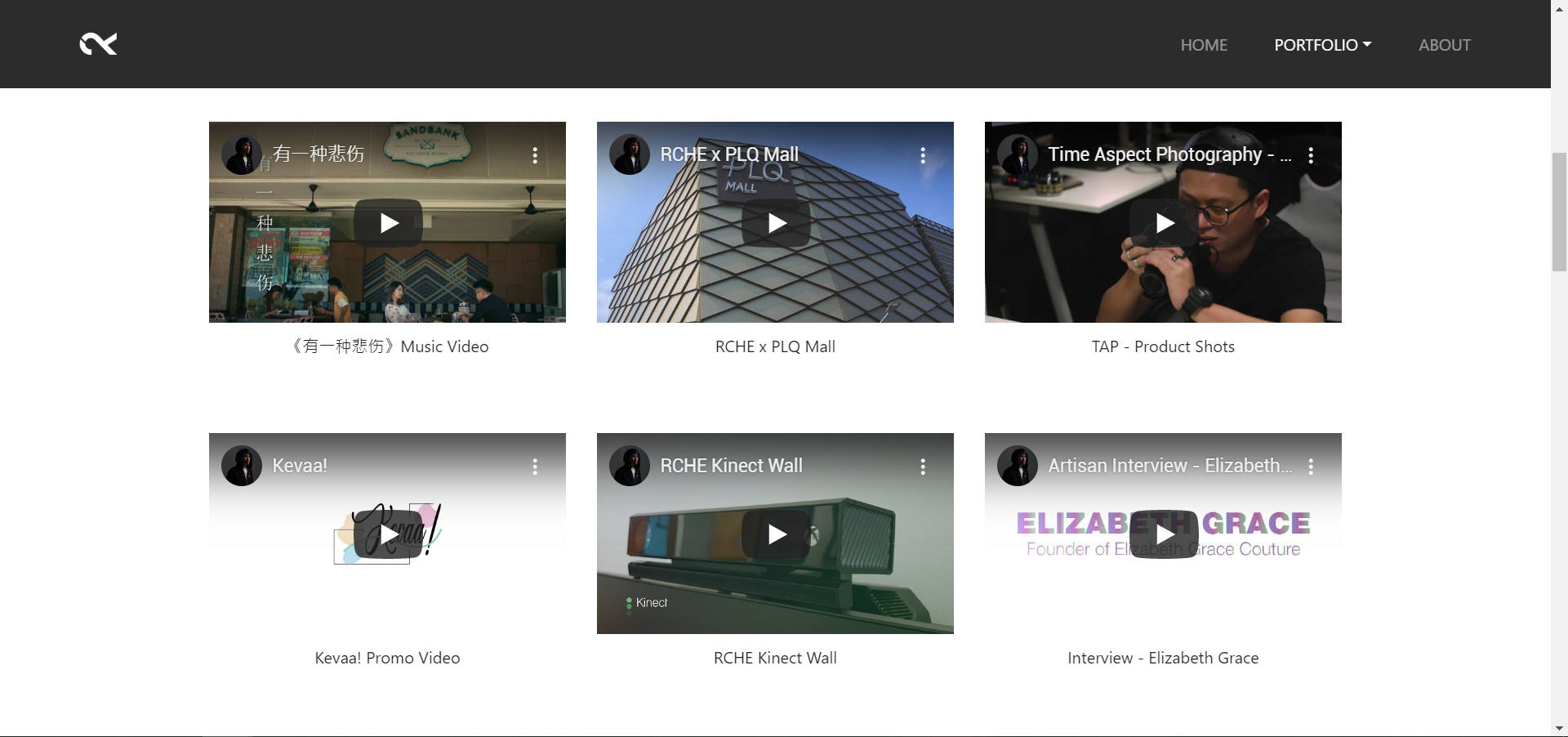
First Version
Final Version
After which, I think that without any description, the audience may not understand what my project about. So I have changed the layout in the column style; each video has its simple description.

Problem:
One of the biggest problems I have faced is the banner video. After putting the video and view it through Google Chrome and Adobe Dreamweaver, everything working perfectly. But after uploading it to FTP like FileZilla, the video is not appearing in the banner. The image below is the solution. In order to make it work, you are required to convert the video file to three different file format, which is .mp4, .ogg, and .webm.
Although this is working in the desktop version, it is still not working in the mobile version. So I have replaced the mobile version using an image banner.
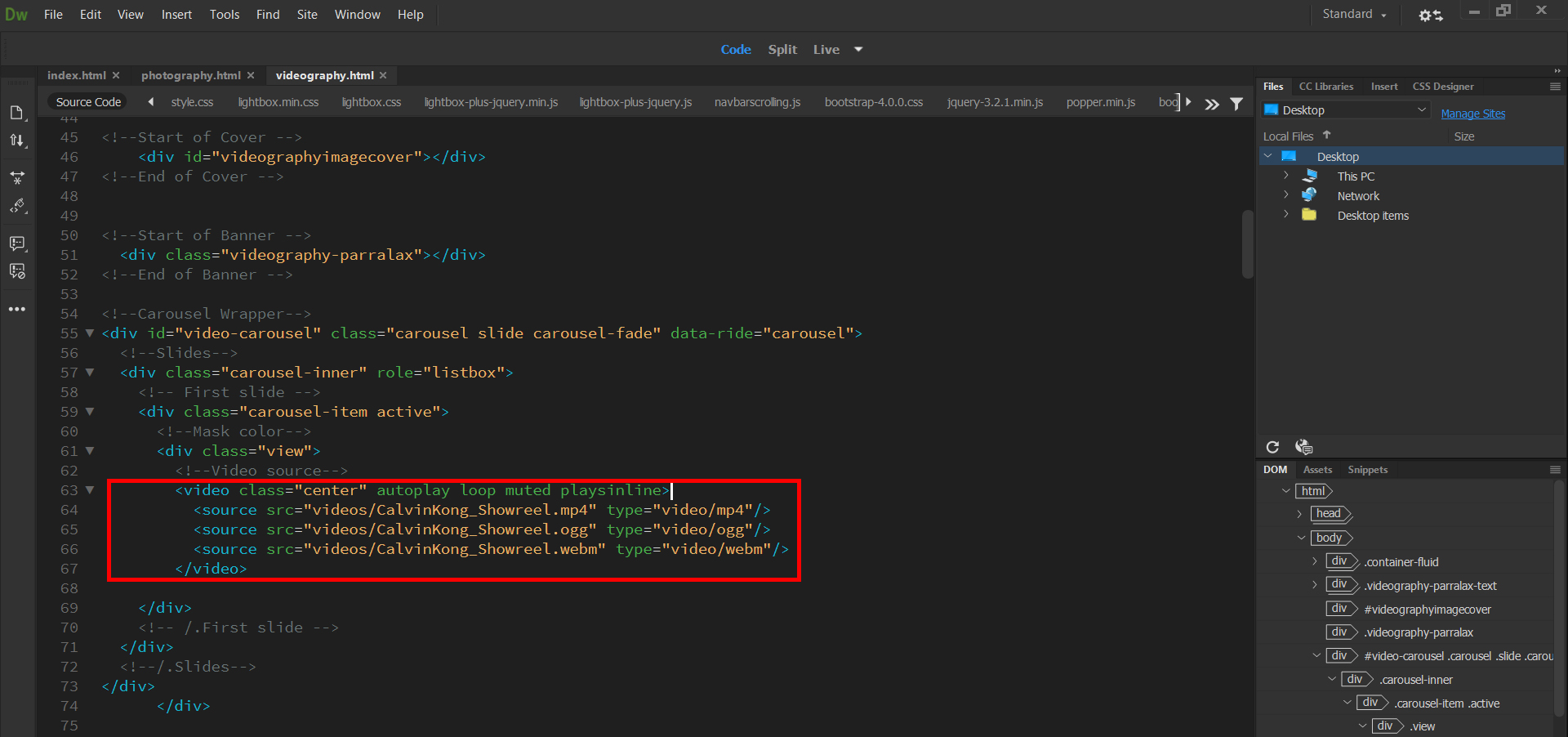
HTML Video File
 calvinkong98.news.blog